Rendezvous and Docking
Being able to dock in Kerbal Space Program lets you build structures in space that would be too large to get up in one launch. Doing this is easy once you get it, but it's very confusing the first time. Here's a quick breakdown of how to do it, with animated pictures to demonstrate.
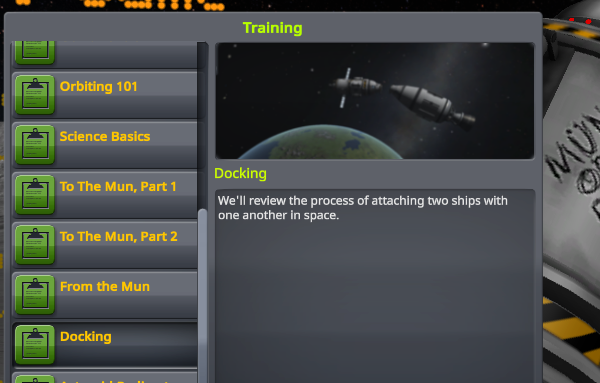
The best way to start this is to practice in the Docking training mission in game. This will put you right into orbit above Kerbin. Your goal here will be to dock with the other vessel in orbit around Kerbin.
1. Inclination
On this training mission, you start out with around 15 degrees of inclination. The first step to docking with a vessel is to match it's angle by getting an inclination of 0. To start, click on the vessel you want to dock with, and click "Set as Target"
To get that inclination closer to 0:
- Create a maneuver node
- Set it right on top of the ascending node, or the descending node on your orbit, whichever is closer.
- Set up a maneuver using the purple knobs to adjust the inclination, until you get it down to 0, or close to it.
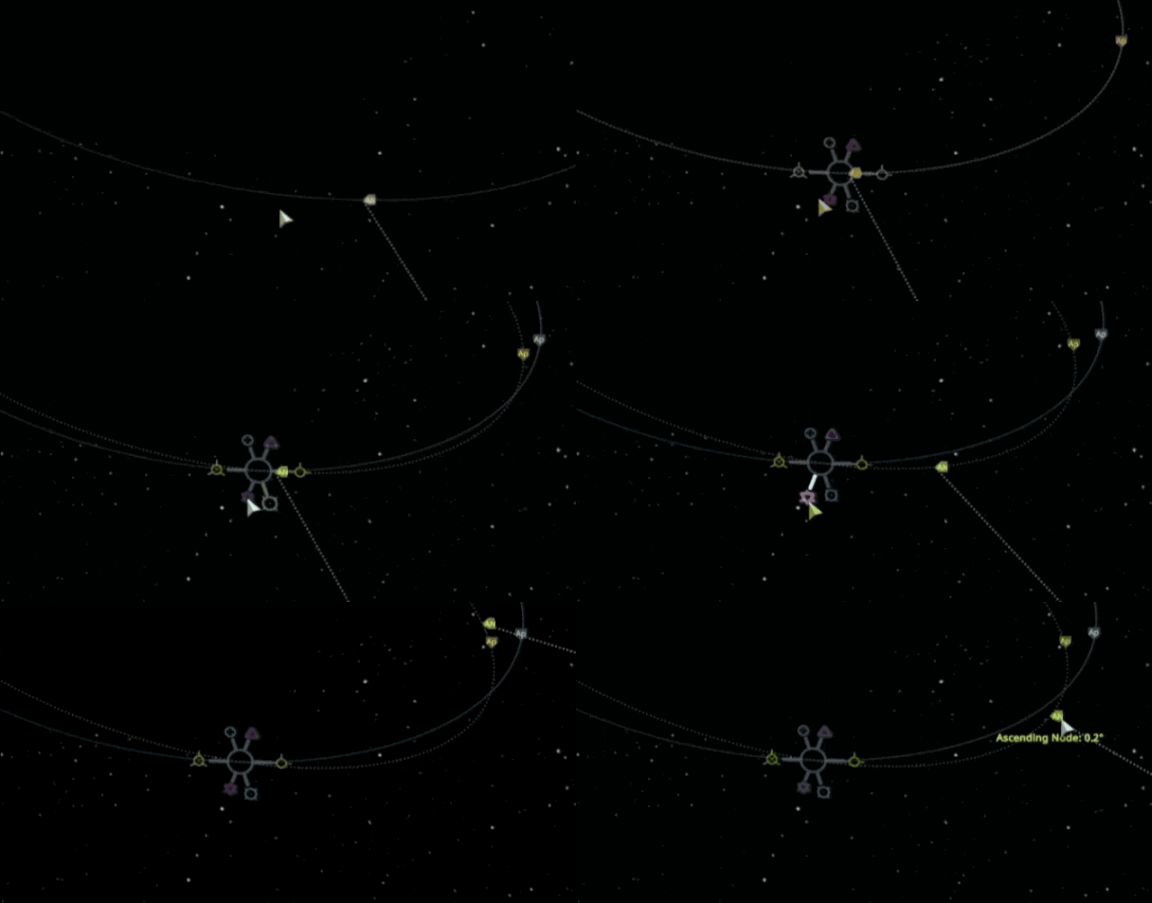
How to troubleshoot if you can't reach an inclination of 0
An inclination 0.1 or 0.2 is okay if you can't get it closer in the one maneuver. If you get it that close but you can't get it down to 0, just perform that maneuver, and then do a second maneuver where you adjust it the rest of the way.
Alternatively, you can tweak the spot your first maneuver is. It's hard to place a maneuver exactly on the ascending/descending node, so usually it ends up just a little bit to the right or left of the node. This will keep you from being able to get down to an inclination of 0. But a slight tweak moving the maneuver around can fix that, if you can get it just a bit closer to the center of the node. This can be touchy, so if you can't get it down to 0 just make a second maneuver, fix it, and you'll be good to go.
2. Approaching the target
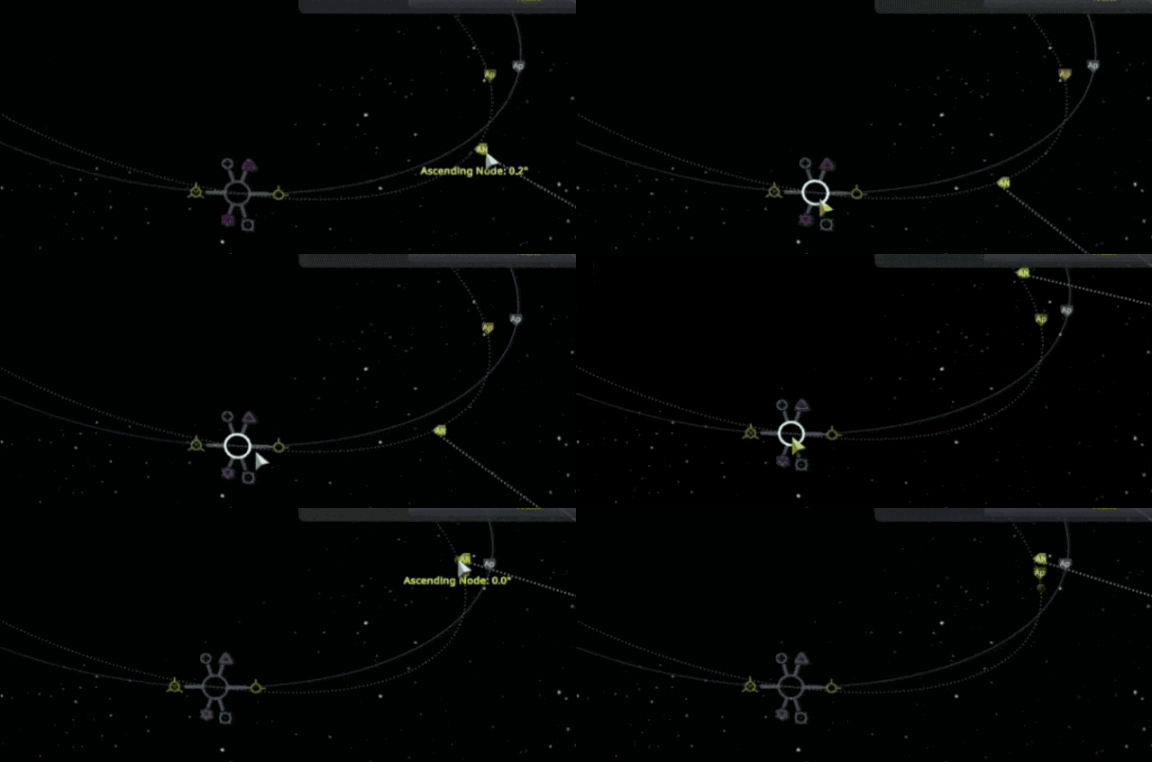
Once you get your inclination as close to 0 as you can, you can plan a prograde burn towards the target.
- Start by creating another maneuver node, and give it enough prograde to intersect the target's orbital path.
- Move this maneuver node around until you get an indication showing an encounter. It'll tell you how close you and the target are at this encounter, example: "separation 1km" "separation 500m"
- Get this encounter as close as you can. You don't have to worry too much about getting close if it's difficult, because later on we're going to get it closer anyways.
3. Closing the Gap, Matching the Speed
Congratulations! If you've made it this far, this is the last step before actually docking.
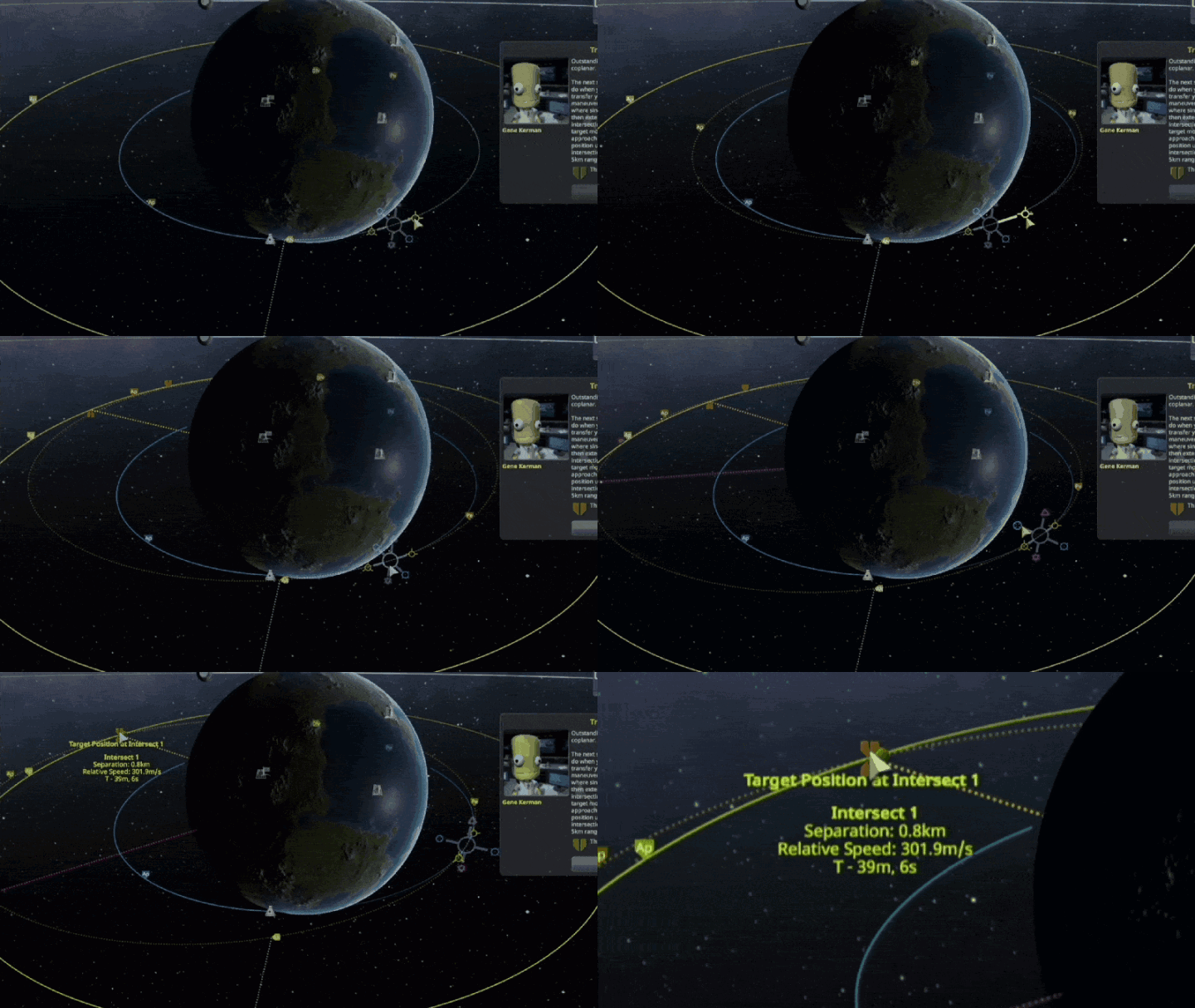
You're approaching your target now. You have maybe 30 seconds until you reach the place in your orbits where you and your target are closest. There are 2 issues left to solve:
- There is still some amount of separation - docking requires you to meet the other ship and touch it
- You have different relative speeds - you need to reduce this really low so you can aim your approach
The best way you can do this, is to combine these two things into one step. This one step is:
Line up your retrograde with anti-target/prograde with target
Look at this animated image below, and see an example of reducing relative speed, while bringing the separation down lower and lower with one maneuver.
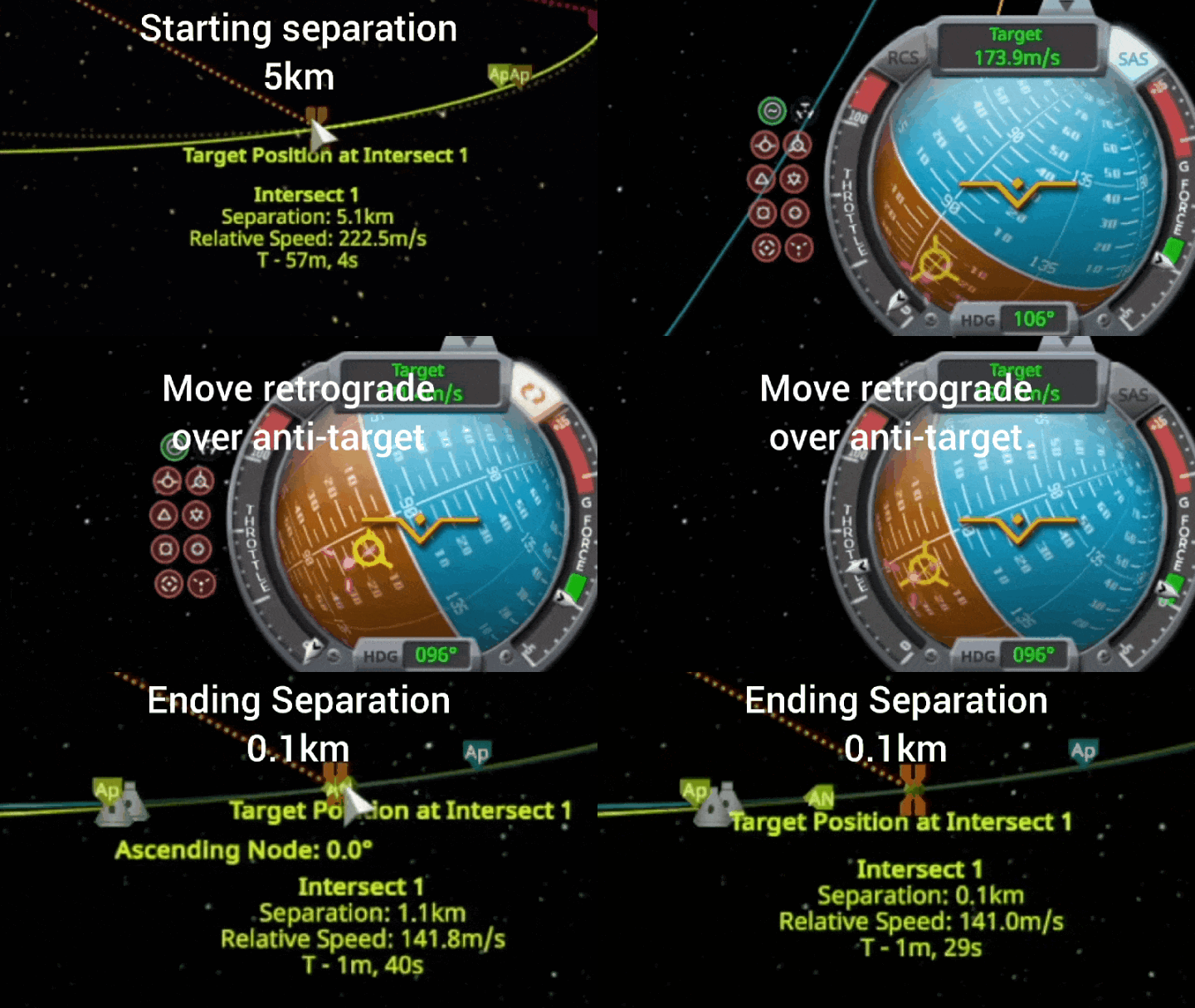
To do this, when burning retrograde you need to point away from where you want your retrograde to be. You want your retrograde to overlap with the anti-target indicator on your navball. Once you get it to overlap your anti-target, your separation will reduce, until you get to a separation of 0km. This will also reduce your relative speed to the target as well, as seen in the above clip. This gives you more time to actually reach the target, giving you a bit more time to react and prepare for final docking.
Once you get really close to the target, you can drop your relative target speed down to 0m/s, and prepare for docking.
4. Docking!
This is the last part, and usually if you make it this far it isn't so bad. (As long as you have RCS)
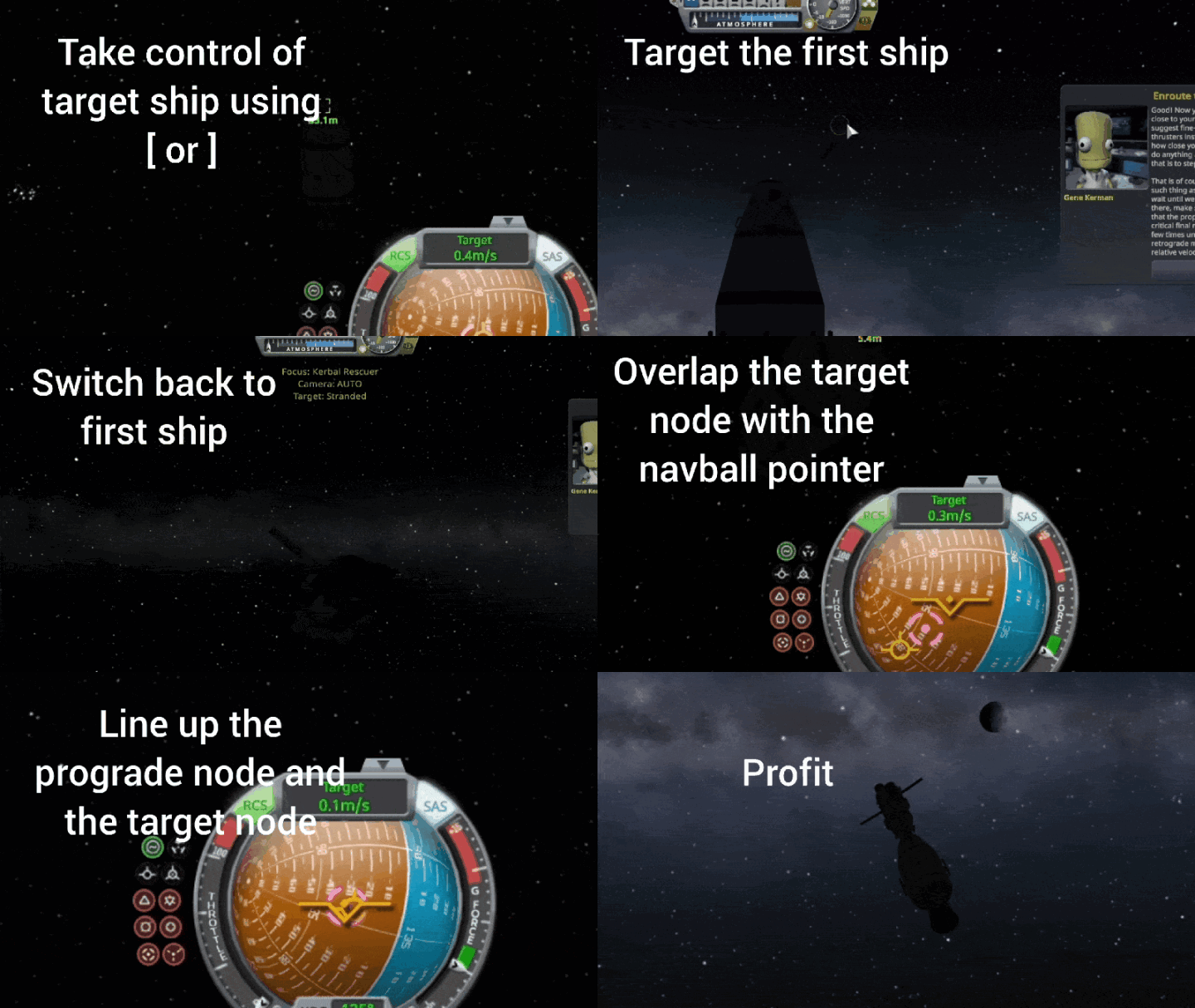
Because of the last step, you should either already be on, or be able to easily put yourself on a collision course with the target. However, to actually dock you need to be very precise when you connect. To do this, you need to right click on your docking port, and choose "control from here". Then you also need to switch to the other ship, and do the same with that docking port. While on the other ship, target your main ship. Both ships should be targeting each other, then make sure both are pointing to target. A high level pilot is invaluable here since he can do that automatically using SAS, but as long as your angle holds steady, you don't need one. Just point to target and it'll work.
If both ports are pointing to target, and you collide at those points at a reasonable speed, the two ports will connect. If you're pretty close but barely off, they will magnetically draw each other together as well. So the game will give you a little bit of lee-way.
To help visualize this, below is a video demonstrating this maneuver.
And that's it! You are docked now!
If you want to know how to choose the best engines for your ship, check out our "Picking an Engine" guide.
Comments
Loading comments...